Understanding AVL Tree Rotations: LL, RR, LR, and RL
An AVL tree is a self-balancing binary search tree that guarantees $O(\log n)$ time complexity for search, insertion, and deletion operations. It achieves this by constantly monitoring the 'balance factor' of every node.
An AVL tree is a self-balancing binary search tree that guarantees $O(\log n)$ time complexity for search, insertion, and deletion operations. It achieves this by constantly monitoring the "balance factor" of every node.
Whenever a node's left and right subtrees differ in height by more than one (a balance factor greater than +1 or less than -1), the tree is officially unbalanced. To fix this, the AVL algorithm performs structural adjustments called rotations.
While reading about rotations can be confusing, seeing an AVL rotation animation makes the pointer manipulation instantly clear. There are exactly four rotation cases you need to understand, grouped into Single Rotations and Double Rotations.
Single Rotations: LL and RR
Single rotations occur when the new node is inserted into a straight line (either all left children or all right children). The fix requires only one pointer adjustment.
1. The Left-Left (LL) Case: Right Rotation
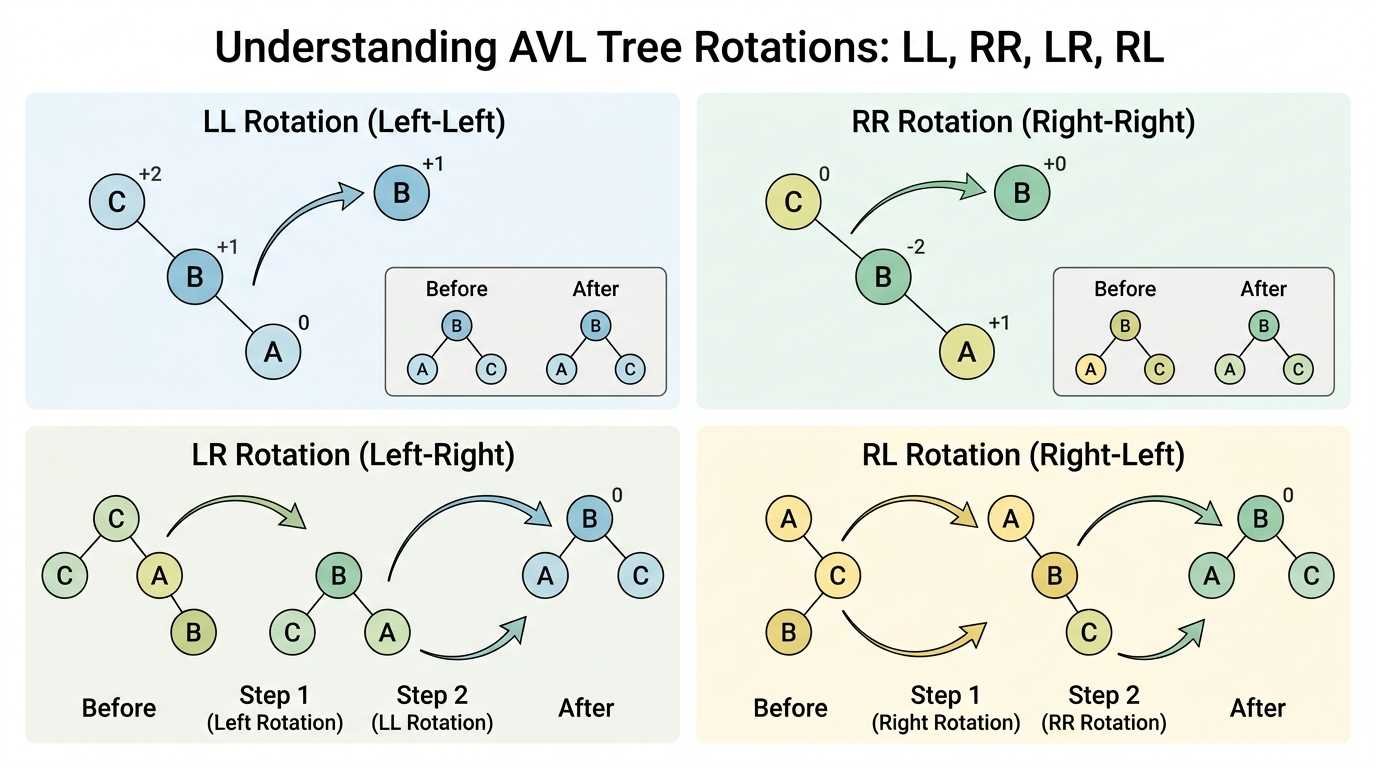
The LL case happens when a node is inserted into the left subtree of the left child of an unbalanced node. The tree has become too heavy on the left side.
Example: Insert 30, then 20, then 10.
- The Imbalance: Node 30 now has a balance factor of +2 (Left Height 2 - Right Height 0).
- The Fix (Right Rotation): We pull the middle node (20) up to become the new root. The old root (30) is pushed down to become the right child of 20.
2. The Right-Right (RR) Case: Left Rotation
The RR case is the exact mirror of the LL case. It happens when a node is inserted into the right subtree of the right child.
Example: Insert 10, then 20, then 30.
- The Imbalance: Node 10 has a balance factor of -2 (Left Height 0 - Right Height 2).
- The Fix (Left Rotation): We pull the middle node (20) up to become the root. The old root (10) is pushed down to become the left child of 20.
Double Rotations: LR and RL
Double rotations occur when the new node is inserted in a "zigzag" pattern (e.g., left child, then right child). A single rotation would not fix the balance; in fact, it would just move the imbalance to the other side. Therefore, the tree must perform two sequential rotations.
3. The Left-Right (LR) Case
The LR case occurs when a node is inserted into the right subtree of the left child.
Example: Insert 30, then 10, then 20.
- The Imbalance: Node 30 has a balance factor of +2, but its left child (10) has a balance factor of -1.
- The Fix (Left, then Right):
- First, perform a Left Rotation on the left child (node 10). This pulls 20 up and pushes 10 down, converting the zigzag into a straight Left-Left line (30 -> 20 -> 10).
- Second, perform a standard Right Rotation on the root (node 30) to balance the tree, making 20 the final root.
4. The Right-Left (RL) Case
The RL case is the mirror of the LR case. It happens when a node is inserted into the left subtree of the right child.
Example: Insert 10, then 30, then 20.
- The Imbalance: Node 10 has a balance factor of -2, and its right child (30) has a balance factor of +1.
- The Fix (Right, then Left):
- Perform a Right Rotation on the right child (node 30), converting the zigzag into a straight Right-Right line (10 -> 20 -> 30).
- Perform a Left Rotation on the root (node 10) to finalize the balance.
Why Does This Matter?
Understanding rotations is the most challenging part of programming an AVL tree. If you write your rotation logic incorrectly in Python, Java, or C++, your tree will either throw null pointer exceptions or silently fail to balance itself, ruining your application's search performance.
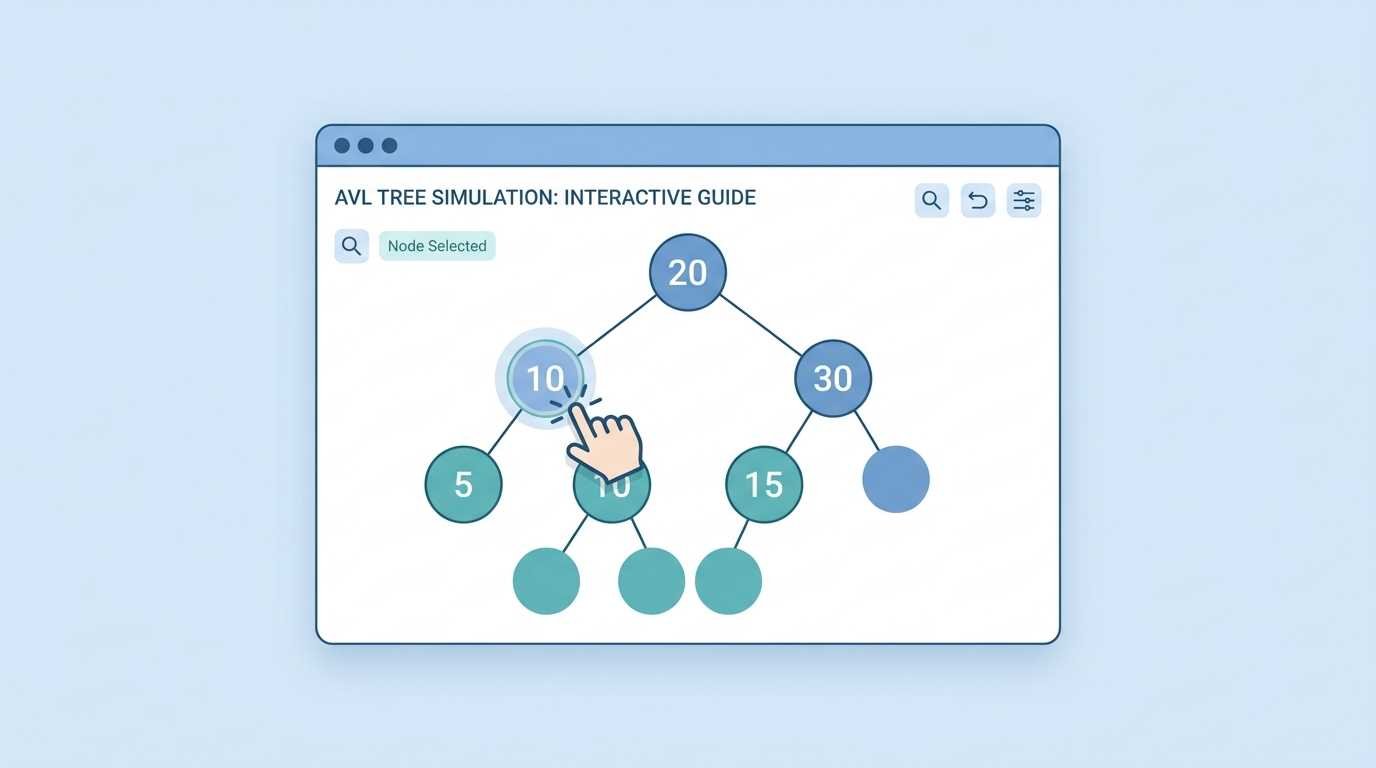
By testing your specific data sequences in an AVL Tree Visualizer, you can predict exactly which rotation should trigger and verify that your backend code is functioning correctly.