How to Build an AVL Tree Simulator (Python & JS)
Learn the architectural steps required to build a functioning AVL tree simulator, starting with the core balancing logic in Python and translating it into an interactive JavaScript implementation.
When students and developers study self-balancing binary search trees, textbooks often fall short of explaining the dynamic nature of pointer manipulation. Building an interactive AVL tree simulator is the best way to bridge this gap.
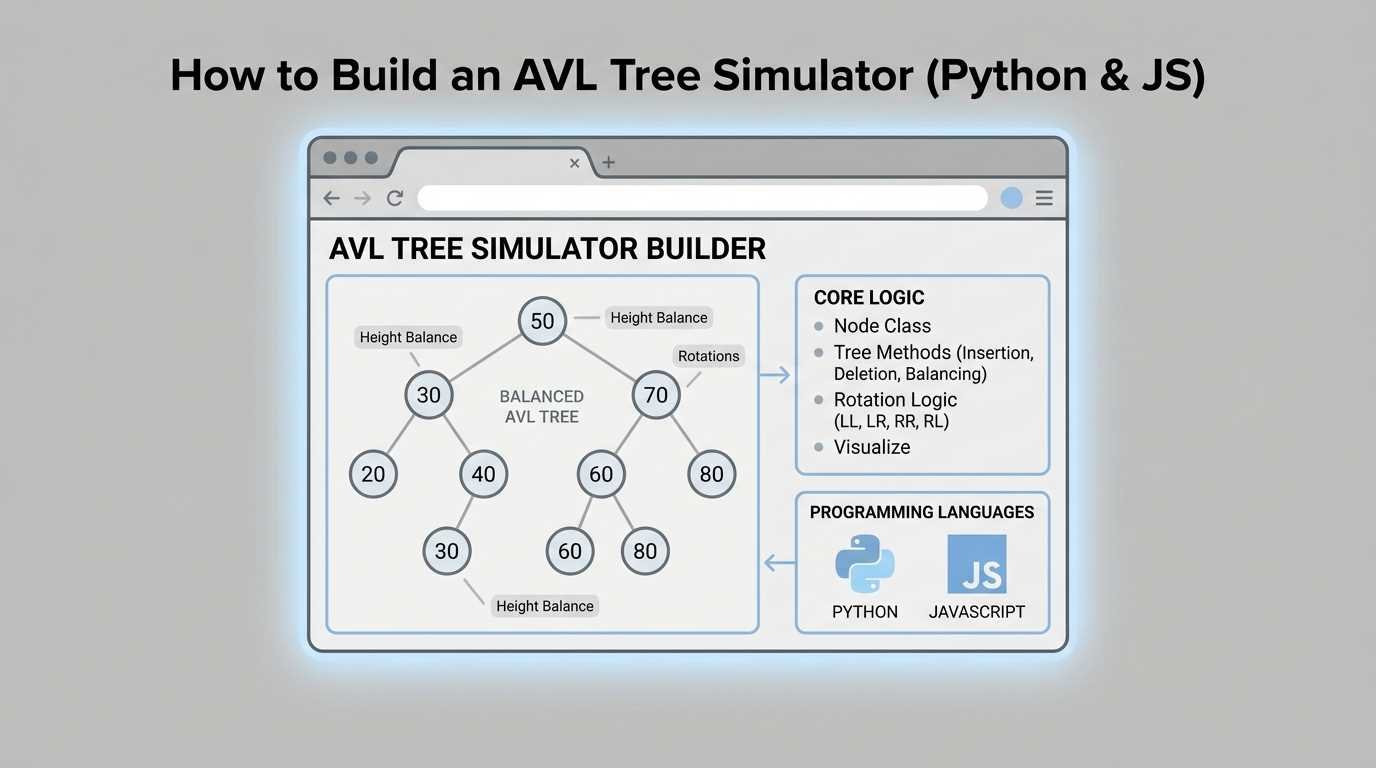
In this guide, we will break down the architectural steps required to build a functioning AVL tree simulator, starting with the core balancing logic in Python and translating it into an interactive JavaScript implementation suitable for a web browser.
The Core Challenge of AVL Simulation
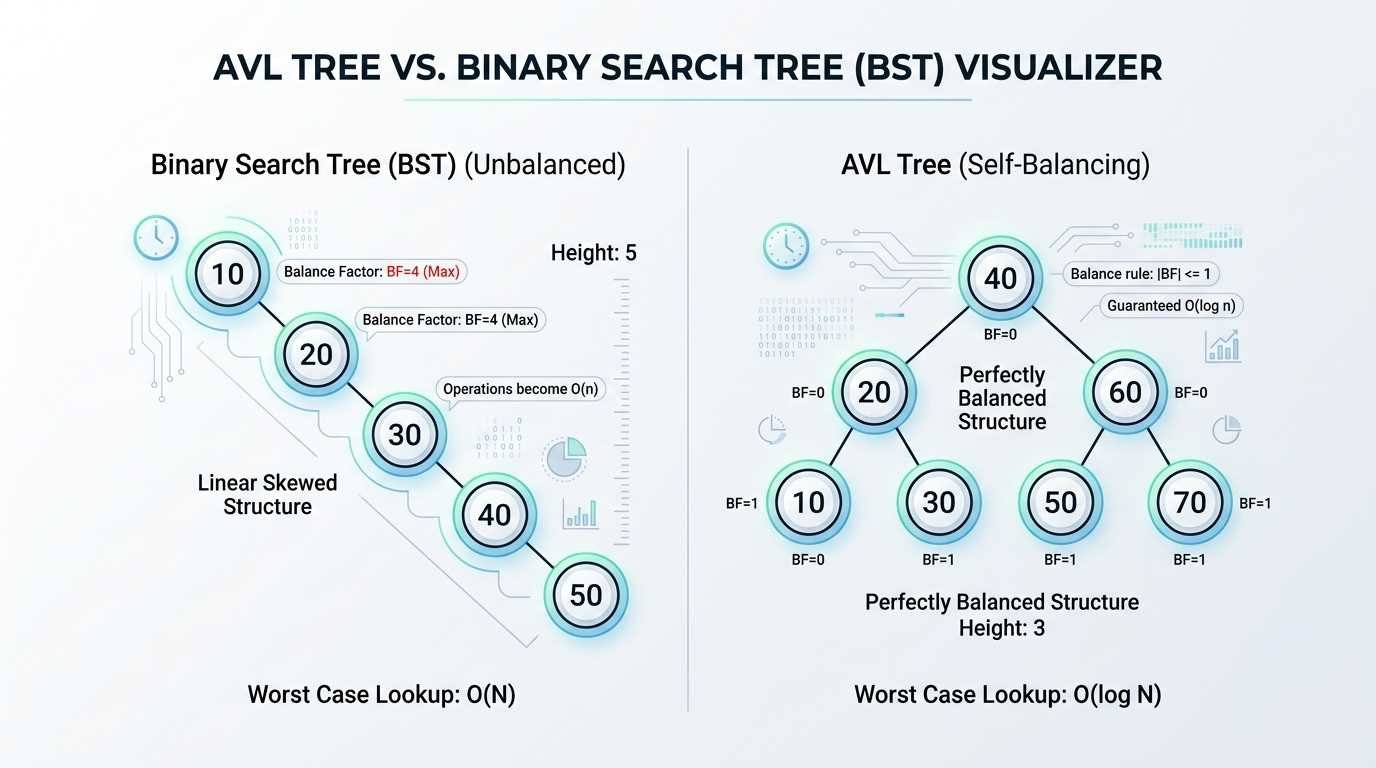
Standard Binary Search Trees (BST) are relatively simple to program: you compare a value, traverse left or right, and insert. AVL trees, however, require you to track the height of every node and calculate the balance factor (Height(Left) - Height(Right)).
When a node's balance factor exceeds 1 or drops below -1, the tree must perform rotations to restore balance. A simulator must not only perform these rotations mathematically but also visually animate the transition so users can understand how the structure changes.
Step 1: The Node Class (Python)
Let's start by defining the basic building block of our tree in Python. Unlike a standard BST node, an AVL node must store its height.
class AVLNode:
    def __init__(self, key):
        self.key = key
        self.left = None
        self.right = None
        self.height = 1
Step 2: The Insertion and Balancing Logic
The insertion process follows standard BST insertion, followed by a height update and a balance check.
def insert(self, root, key):
    # Step 1 - Perform normal BST
    if not root:
        return AVLNode(key)
    elif key < root.key:
        root.left = self.insert(root.left, key)
    else:
        root.right = self.insert(root.right, key)

    # Step 2 - Update the height of the ancestor node
    root.height = 1 + max(self.get_height(root.left), self.get_height(root.right))

    # Step 3 - Get the balance factor
    balance = self.get_balance(root)

    # Step 4 - If the node is unbalanced, then try out the 4 cases
    # (LL, RR, LR, RL Rotation logic goes here)
    return root
Step 3: Translating to JavaScript for the Browser
While Python is excellent for logic, JavaScript is necessary for web-based interactivity. Our JavaScript implementation will mirror the Python logic but will be tightly coupled with the DOM or a Canvas API to render the nodes.
When building the visual component, consider these best practices:
1. Coordinate Calculation: Assign (x, y) coordinates to each node based on its depth and horizontal position relative to its parent.
2. Animation Frames: Use requestAnimationFrame to smoothly transition nodes between their old and new coordinates during a rotation.
3. State Management: Keep the logical tree state separate from the visual rendering state to prevent bugs during rapid insertions.
By combining robust balancing logic with smooth front-end rendering, you can create a powerful educational tool that demystifies AVL trees for learners worldwide.